Station Assignment
Note
The features described here require an Engineering license. Station Assignment will not be visible for those without the required license.
Station assignments make you the operator of a controllable crane, ROV, vessel, and able body.
Accessing Station Assignment


The following is an example of available stations to select from:
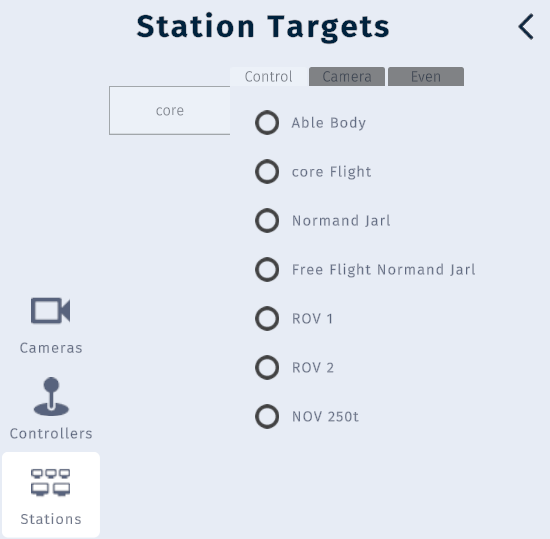
Once a station is selected, you will be transported to the selected station and become the operator of that station. Accordingly, the normal camera navigation is disabled until you exit the station by selecting a different station. Please review the Station Assignment Controls to learn how to control the station.
You can exit a station while keeping the controls by selecting either Helicopter, Free Flight or Orbit mode. This way you can get an external view while operating the station. To completely exit a station and controls, select the core flight station, then select a flight mode or use the On-Screen 3D Navigation to elevate the camera. (
 +
+ E)
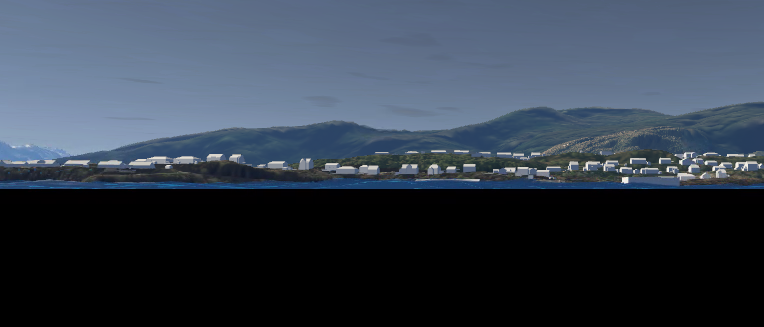
When you select “core flight” from the station assignment, then the camera will be positioned as shown above. Simply select Helicopter or Free flight, then press the E key while pressing the right mouse button to elevate the camera.