Request a New Password
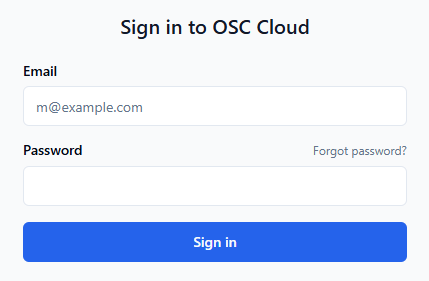
To request a new password, please visit cloud.osc.no/login and press the Forgot password link above the password field:
Then enter your email and press continue:
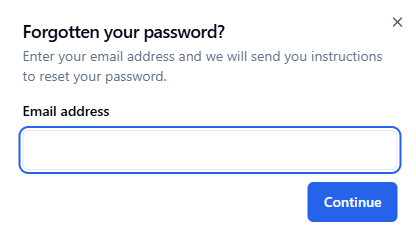
Check your junk/spam folder if you do not receive the email. The password reset link is only valid for 24 hours. If it expires, simply request a new password reset.