Instructor Panel
Note: The information below pertains to stand-alone instances of Sandbox only. Sandbox on cloud uses the Scenes menu.
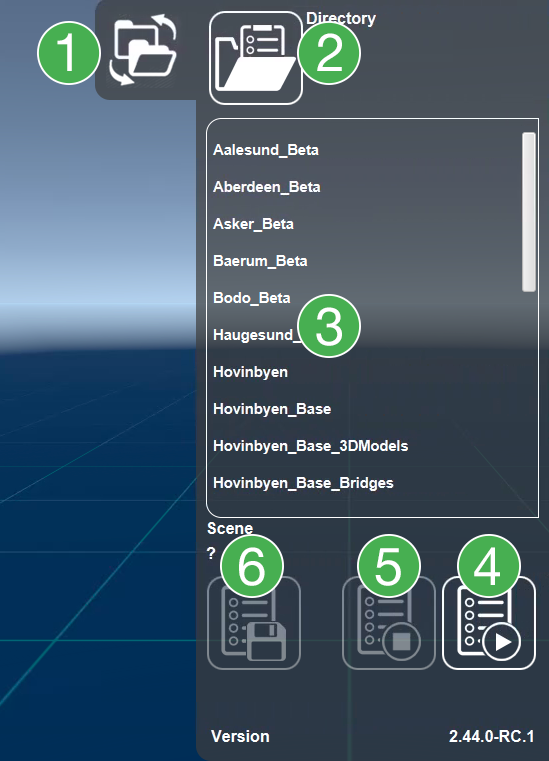
Toggle: Expand/collapse the instructor panel
Scene directory: Sets the directory from which scenes are loaded and saved
Scene Selection: Select the scene to be loaded
Start Scene: Press the run button to start the selected scene
Stop Scene: Press the stop button to stop a scene. Must be done before starting a new scene. If a scene has not been saved, all changes will be discarded once stopped.
Save scene: Save a scene or save as a new scene.