Scene Menu
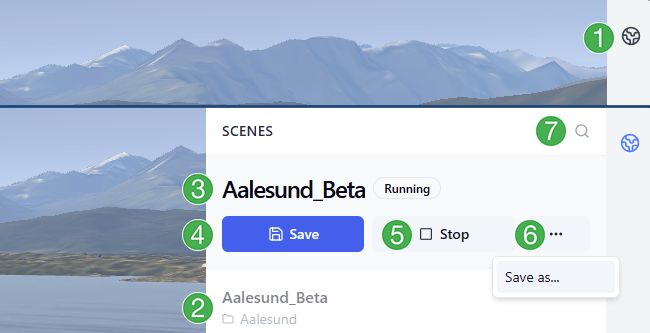
The scene menu is where you can load, save, and stop scenes in your running Sandbox session. It is located at the top of the session menu along the right side of your screen.
Using the scene menu
Click the globe in the upper right corner to expand the scene menu. Click the globe again to collapse the menu.
All scenes are listed here with folder names below (if in a folder). Click a scene name to start it.
Name and status of the currently loaded scene.
Save button: Save the loaded scene.Stop button: Stop the currently running scene.Context menu
...: Save the scene as a new scene. Enter a new name when prompted.Search function: Click the magnifying glass to activate the search box above the list of scenes. Type a name to filter scenes.
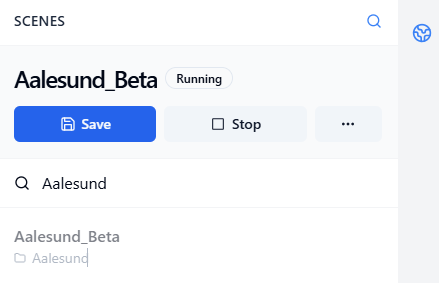
In this example, the user has typed in Aalesund to filter for scenes with Aalesund in their names.